Build sections from phrases
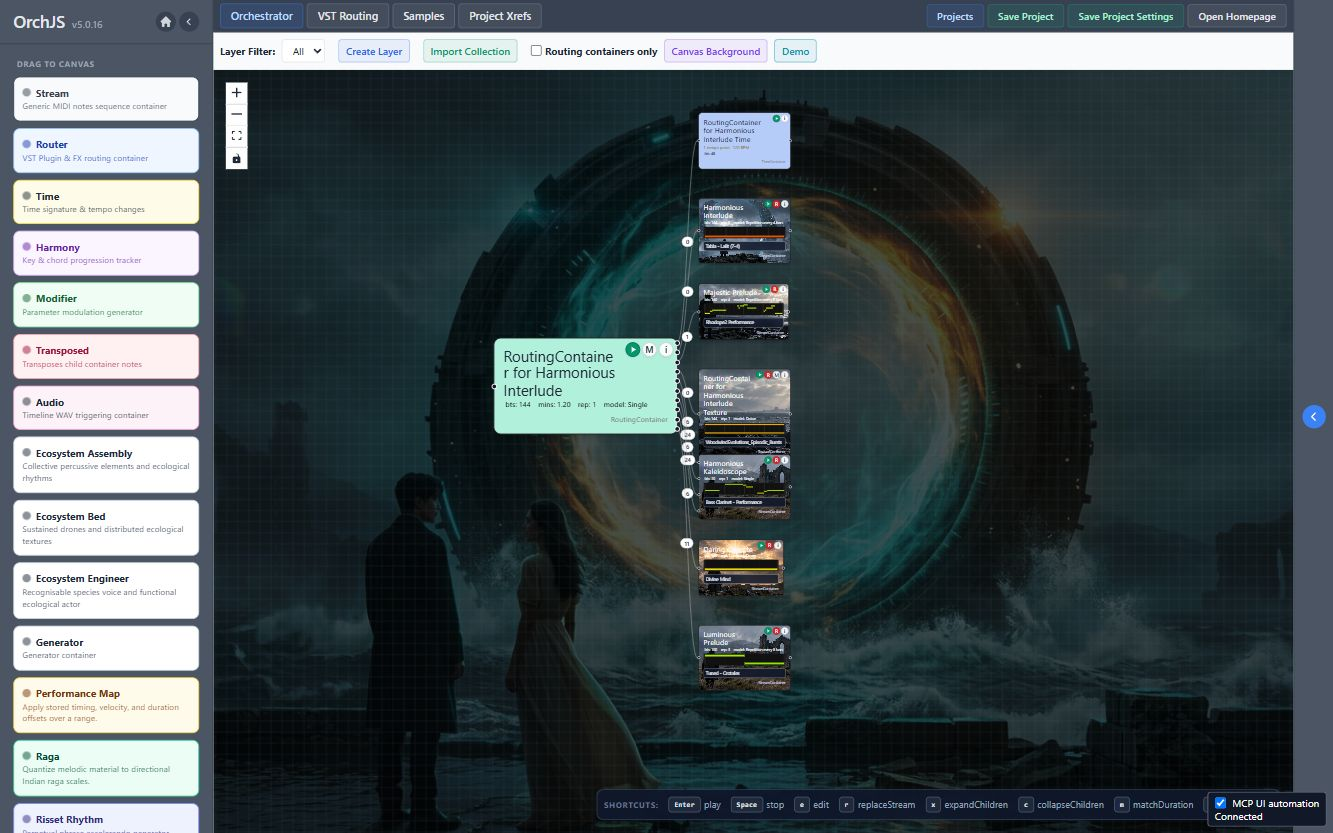
Nest containers to arrange larger passages. Link a section from another project when you want to reuse it.
 Orch
Get Orch
Orch
Get Orch
Version 5.2.0 | Free Player available | Windows and Mac
A node-based DAW with tag-based orchestration.
Arrange MIDI phrases in nested containers and use tags to assign or change their instruments. Orch runs locally, with VST3 hosting for instruments and effects.
Player is free, with saving disabled. The full version enables saving.
From Ruchir Shah
Orch developer
I’m Ruchir, the developer of Orch. It brings together MIDI arrangement, instrument routing and composition tools, including raga scales and physical modelling. The walkthrough below shows my composition Remembering the Ancients and how it is arranged in Orch.
Track walkthrough
A composition walkthrough with Ruchir Shah, showing the track and its arrangement in Orch.
From phrase to arrangement
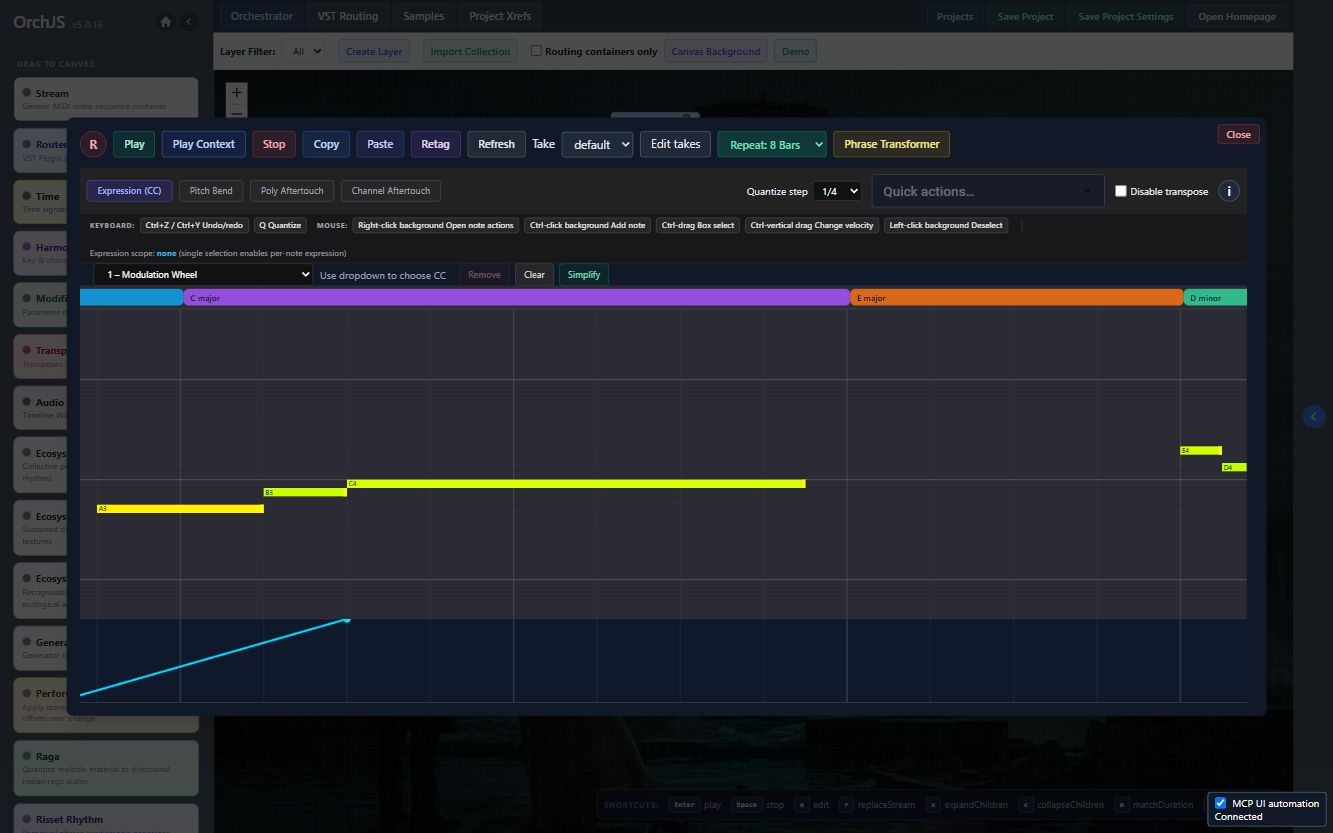
Use tags to assign a MIDI phrase to instruments. Change the assignment without rewriting the performance, then group phrases into sections with their own timing and repeats.
Nest containers to arrange larger passages. Link a section from another project when you want to reuse it.
Host VST3 instruments and effects, connect buses and outputs, and save the signal paths with the project.
Export to compatible DAWs through DAWProject. Use OSC, Python modules or an MCP-compatible assistant for control and automation.
Composition tools
Install tools individually from the module catalog, including in Player. These are a few places to start.
Shape melodic material with ascending and descending raga scales, microtonal tuning, meendh curves and Tal patterns.
Layer repetitions of a phrase to create the impression of continuous acceleration with the Shepard–Risset effect.
Derive call-and-response phrases or counterpoint from existing MIDI, or make drones, pedal patterns, clusters and pads from captured notes.
Derive a harmony track from MIDI with Harmony Transposer. Apply reusable timing, velocity and duration offsets with Performance Maps.
In Orch, open Modules → Discover Online Modules for the full catalog. Develop your own tools →
Orch Synth
Orch Synth combines synthesis and physical modelling in a visual patch editor. Connect oscillators, filters, envelopes and modulation sources, or work with models of strings, tubes, membranes and resonators.
Save patches as presets and audition them with the editor’s MIDI test keyboard.
Install the editor from the module catalog, including in Player. Download the OrchSynth VST3 instrument separately for Windows or Mac.
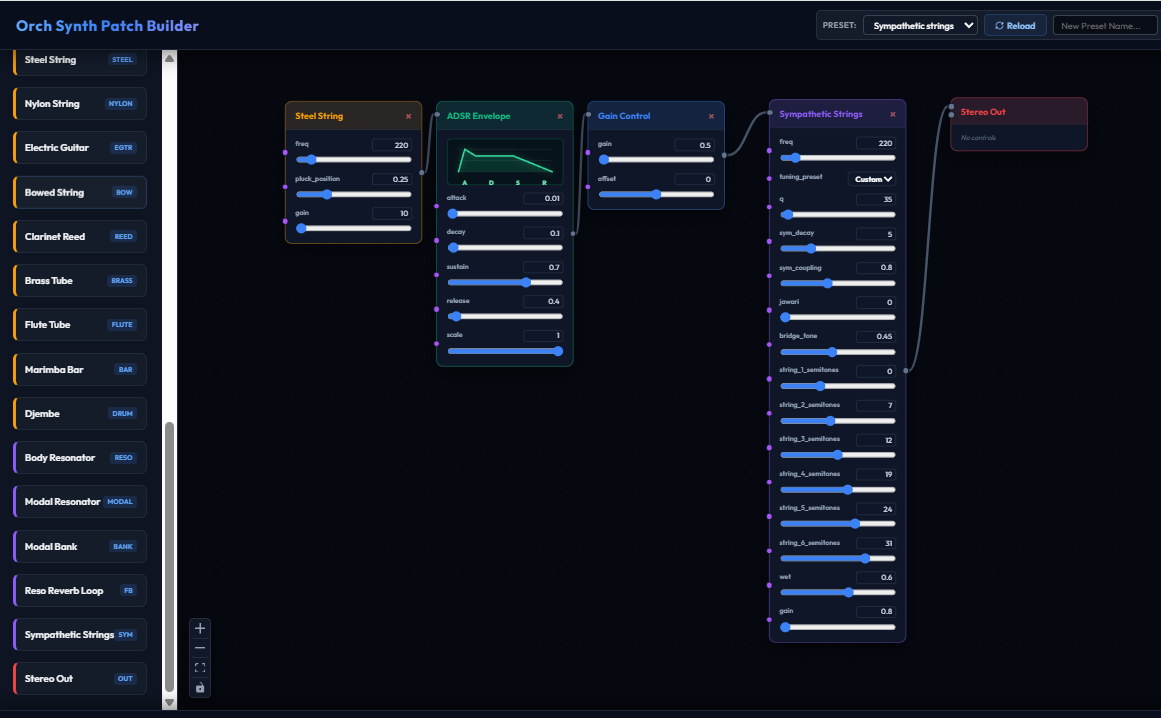
Screenshots
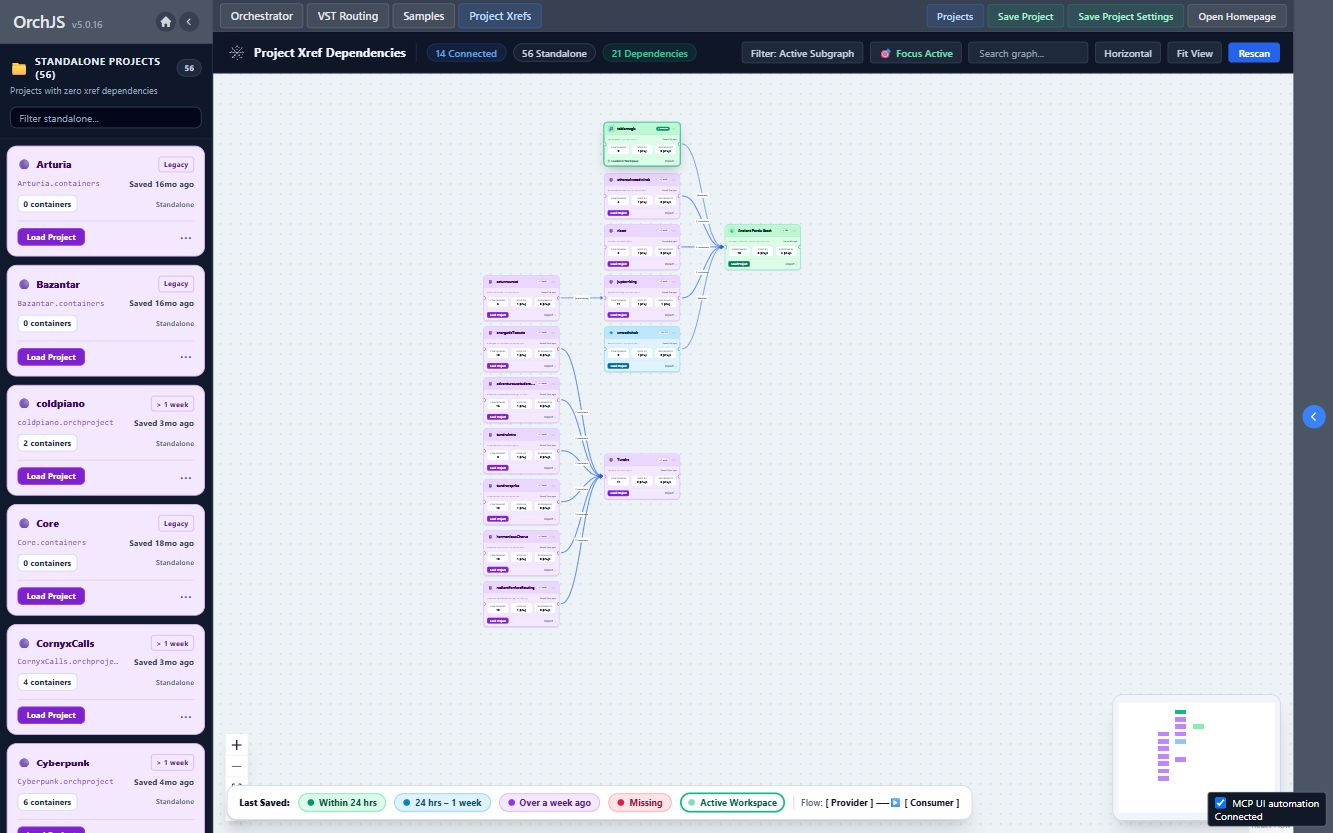
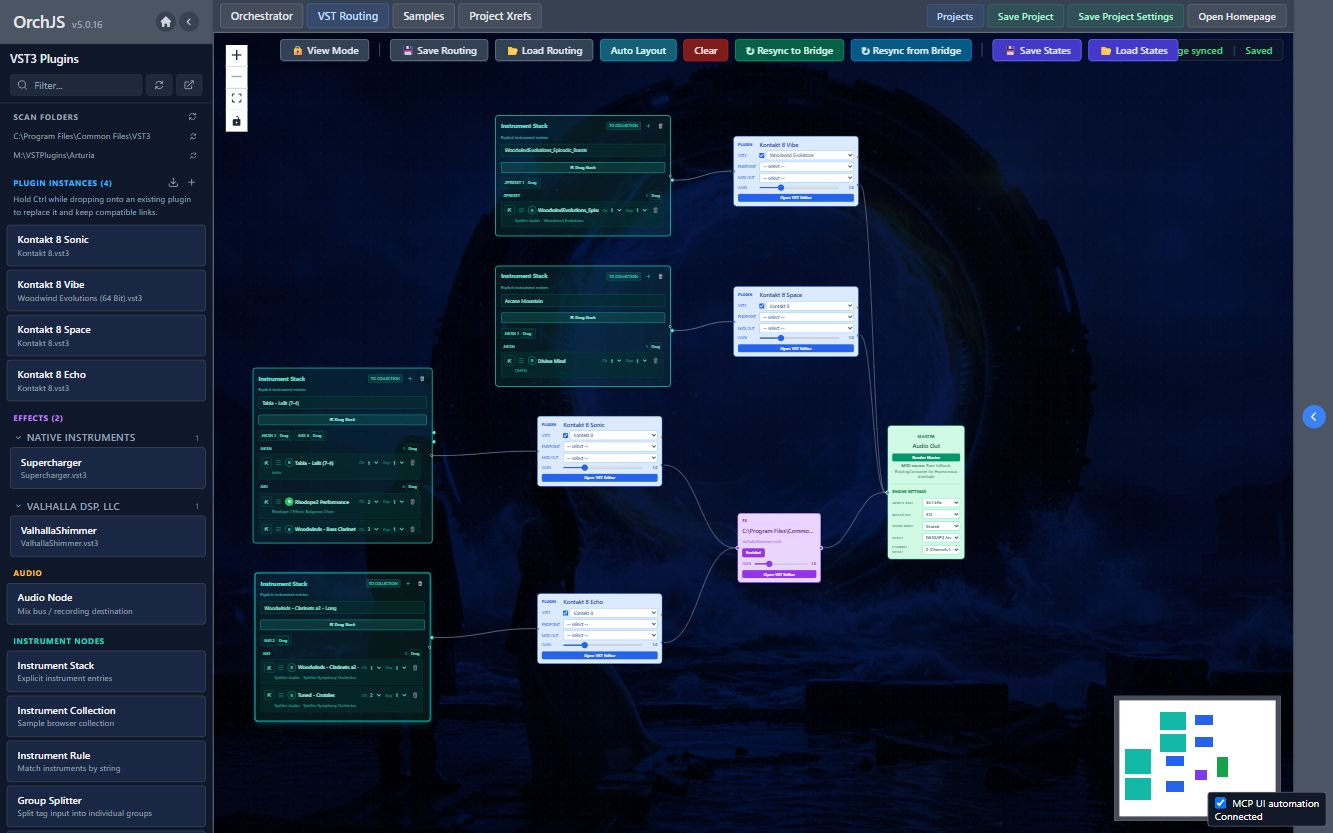

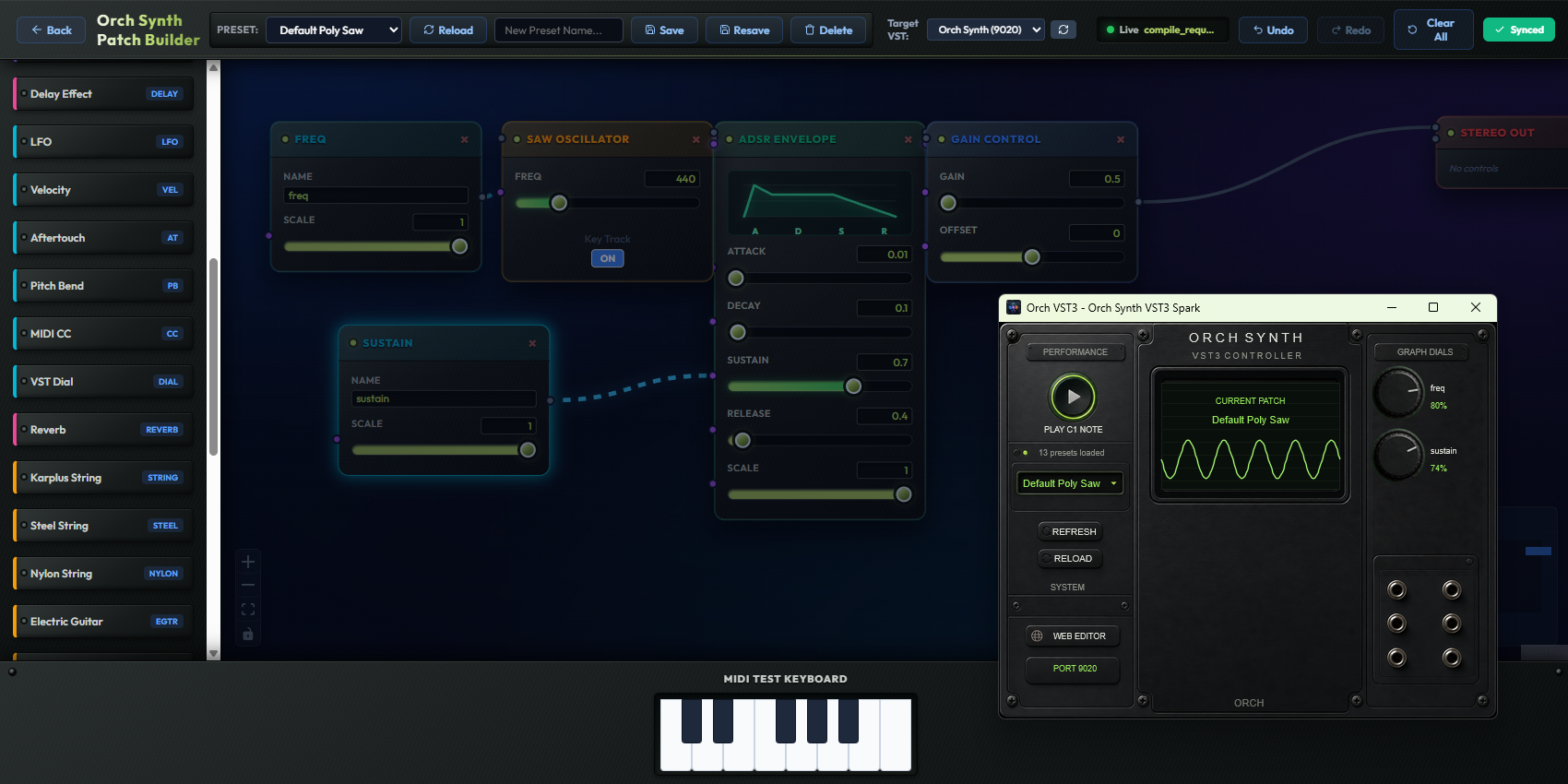
Screenshots include third-party instruments, libraries and artwork from the developer's setup. These are not included with Orch; no endorsement is implied.
Tutorial Videos
Walkthroughs of MIDI recording, instrument assignment, sample collections and VST routing. May include those made with older versions of the app.
More lessons in the full walkthrough playlist →
Before you download
Orch runs locally on Windows and Mac. Try Player with your plugins and audio hardware before purchasing. Projects and libraries stay on your computer; license verification uses Gumroad.
Set your project and library folders, open the browser interface, and scan your instruments. Record a phrase in Orchestrator, then assign a sound and connect its audio in VST Routing.
Follow the Quick Start →Documentation
Setup instructions and reference material for composition, sample libraries, VST routing, OSC, MCP and module development.
Open documentationGet Orch
Player is free to download with saving disabled. Purchase the full version to save your work. Application and OrchSynth downloads are available on Gumroad.